in Browser
Select Browser Version:
Navigate the map to browse and locate the data relevant to your project. As you find data, Add to the Results grid to further assess and to view the list of the associated products.

The details that display in the grids depend on the seismic added from the map. Features that you select on the map become highlighted and change colour when you add them to the grid.
Navigate the map to browse and locate the data relevant to your project. As you find data, Add to the Results grid to further assess and to view the list of the associated products.
The Grid Panel in Exploration Archives Browser includes the seismic information grid (upper grid) and the associated products grid (lower grid).
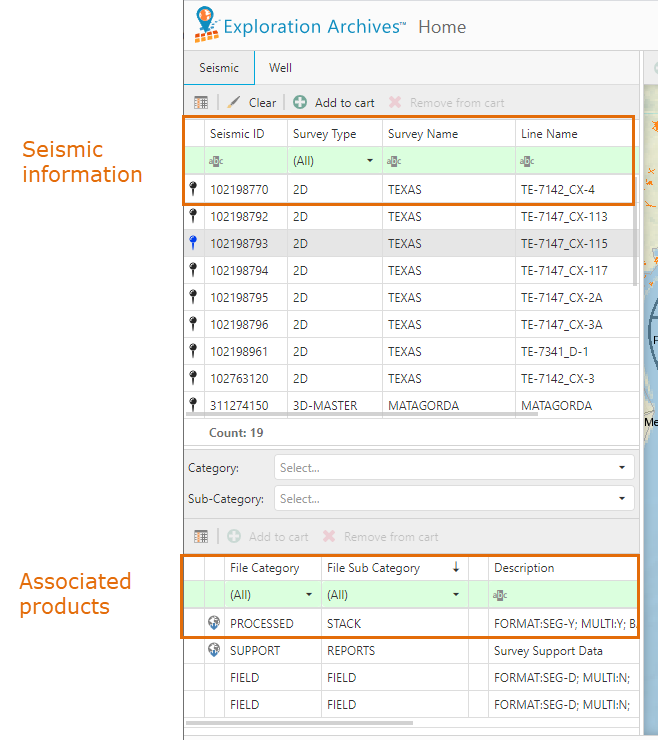
The details that display in the grids depend on the seismic added from the map. Features that you select on the map become highlighted and change colour when you add them to the grid.